How to get Veeam Backup report
12 Views |

In this sample, IT Pattana uses Veeam as our Backup software, and we will show how the Veeam reports look like on each scenario.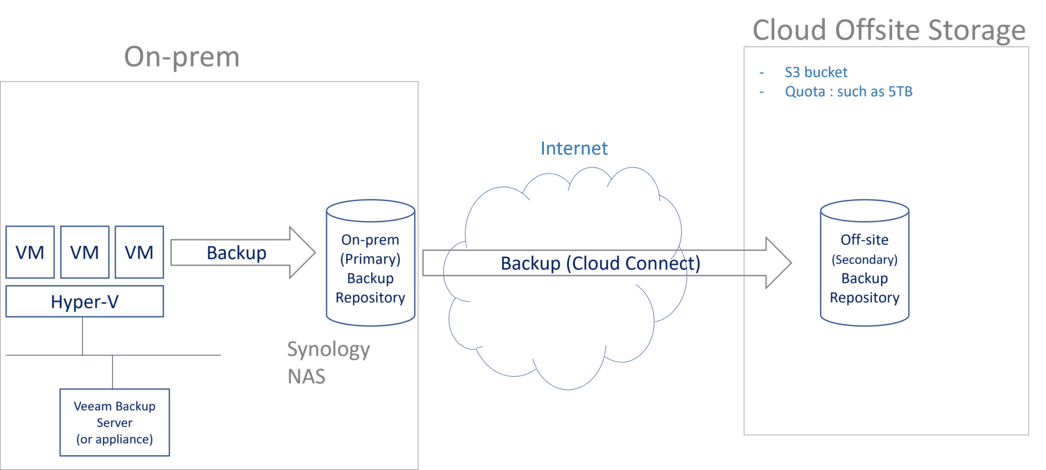
Every organization must have a least on-premise backup to a backup Server to local storage such as NAS. Also in order to comply 3-2-1 backup practice, a offsite backup is highly recommended. Above diagram shows basic Server backup using Veeam software to backup VMs to both on-prem NAS and offsite Wasabi Cloud Storage (which is S3 compatible storage).
We can configure Veeam to automatically send the Backup report email after every backup job, whether the backup was successful, warning, or failed. Not only our IT admin knows the status of last night's backup the moment they open their inbox, without having to log into the backup server. Also IT Manager and Managment can get the same report, so there is no surprise of knowing the status after the fact !
Backup reports show the Backup Job name, Backup Start time, Backup End time (and yes, it is backup duration time), What servers are backed up, Backup Status, Backup Size consumed on the Storage, and Backup compress and Dedupe ratio.
Daily Backup Report (Success status) in this setup, Daily backup goes to on-prem Synology NAS, and Veeam automatically send email after the backup job complete.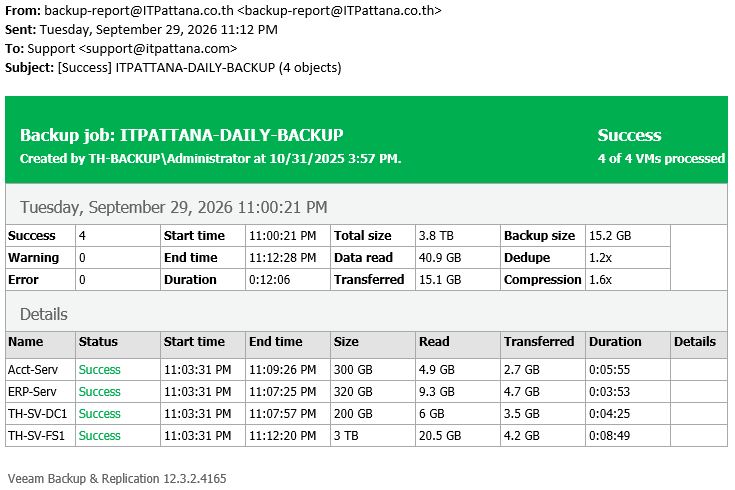
Weekly Backup Report (Success status) Weekly backup goes to Offiste Storage Wasabi S3 compatible Cloud Storage, and Veeam automatically send email after the backup job complete.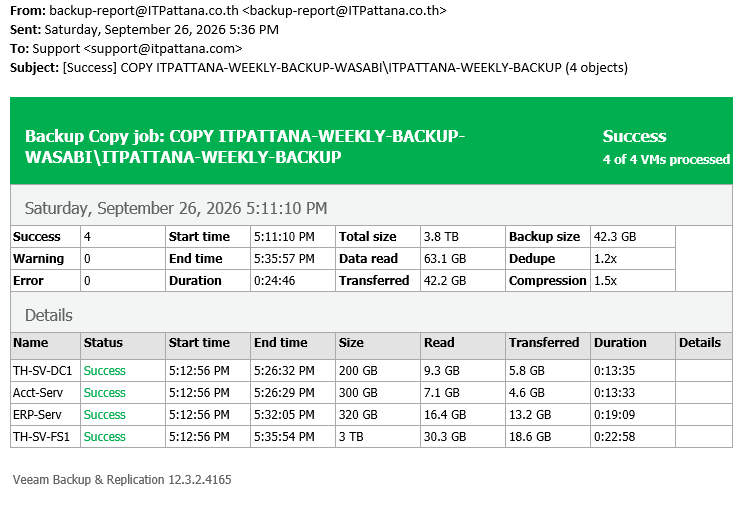
Monthly Backup Report (Success status) Montly backup can go to local NAS or to Offiste Storage Wasabi S3 compatible Cloud Storage, in our setup we keep the monthly backup sets on the local NAS.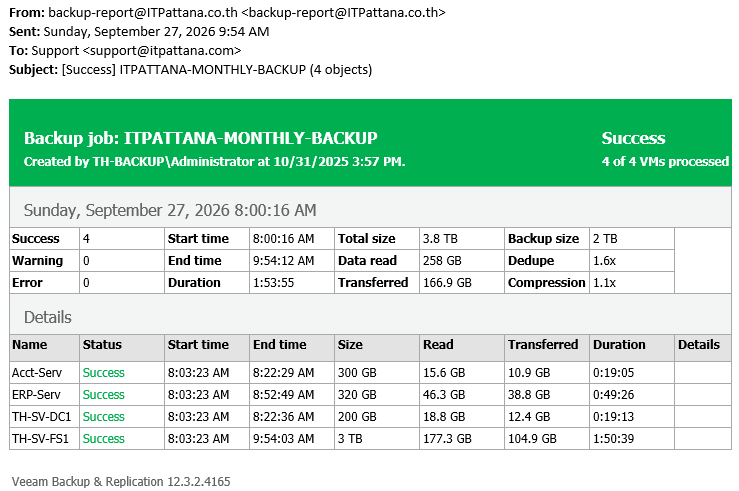
Backup Report (Warning status) In below case, Veeam warns us that the Storage is getting full. However, the last night backup is still 100% successful. So that the IT admin can take action before the next Veeam backup is scheduled.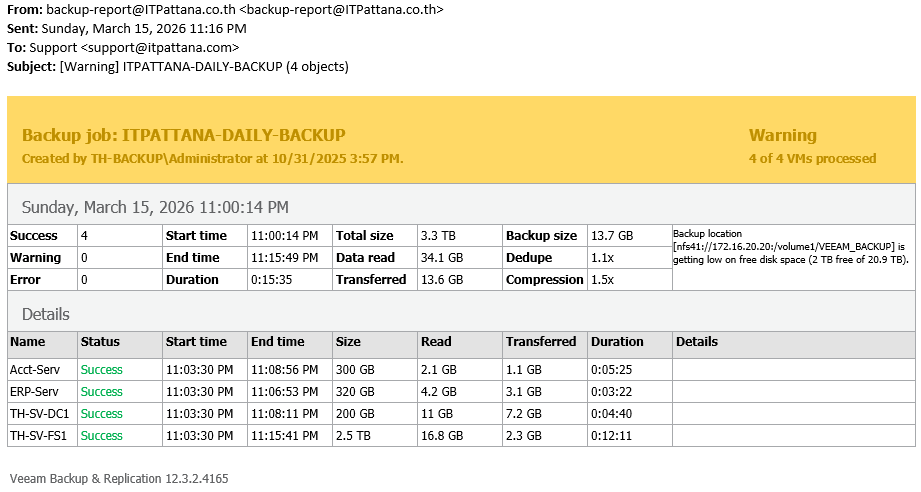
Backup Report (Failed status) If Backup job fails, Veeam will automaticall retry to backup again. Below report shows that there were successful 3 backup jobs, and 1 failed job.
IT Pattana is the Veeam authorized partner. We have implemented Veeam backup solution to our manufacturing customers in EEC WHA Amata industrial estate in Rayong and Chonburi.
Publised date: 2026-09-30 14:54PM GMT+7
Publised by: IT Pattana Admin

